Page 3 of 3 FirstFirst 123
Results 21 to 24 of 24

Thread: Enigma2 Channels Manager by iet8

  1. #21
    korn's Avatar
    Join Date
    Dec 2010
    Location
    SatDreamGr
    Posts
    57,787
    Rep Power
    2484805

    Απ: Enigma2 Channels Manager by iet8

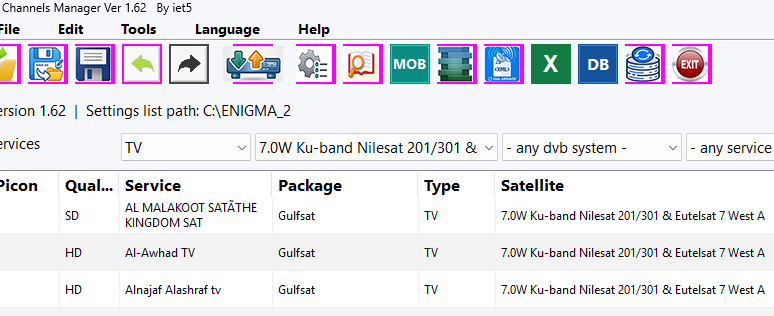
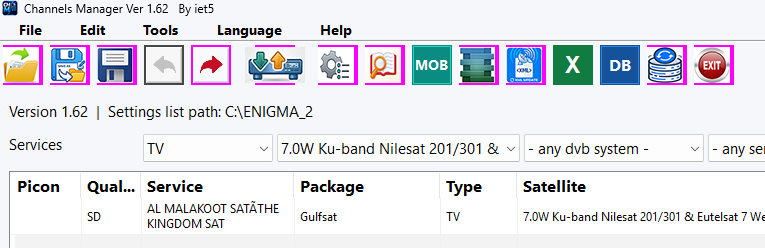
    Now we move to version 1.62 -online update

    Hi,

    Now we move to Version 1.62 - online
    This update includes three key changes: two fixes and one new feature:
    Fixed channel drag-and-drop issue.
    Fixed the deletion of an icon associated with a channel.

    Added Multi-level Undo / Redo feature:
    Built an integrated Undo/Redo Engine to handle multi-level operations and accurately save changes.
    Enabled keyboard shortcuts Ctrl+Z and Ctrl+Y within the main system message loop.
    Added Undo and Redo options to the main Edit menu in the interface.
    Numerous code optimizations to enhance and accelerate performance.

    iet5


  2. #22
    korn's Avatar
    Join Date
    Dec 2010
    Location
    SatDreamGr
    Posts
    57,787
    Rep Power
    2484805

    Απ: Enigma2 Channels Manager by iet8

    Now we move to version 1.63 -online update

    Version 1.63 - Online Update

    This update includes the following:
    Significant code improvements and optimizations.
    This is the final release to include the Mobile module; it will be deprecated/removed in the upcoming version to make way for far more critical features.
    Thanks iet5


  3. #23
    korn's Avatar
    Join Date
    Dec 2010
    Location
    SatDreamGr
    Posts
    57,787
    Rep Power
    2484805

    Απ: Enigma2 Channels Manager by iet8

    Now we move to version 1.64 -online update

    Version 1.64 - online update


    A new update has been released with a wide range of new features and improvements, focusing on better security, stability, and easier management of channels, bouquets, and backups.

    Main Changes​
    Mobile module removed from the program.
    Review Changes Before Sending:
    A new review window has been added that displays the number of channels to be added or removed, as well as any modified bouquets, allowing the user to review and confirm the changes before sending them to the receiver.
    Channel and Bouquet Validation:
    The program can now detect duplicate channels, empty bouquets, and entries that are missing from the lamedb file.
    Post-Transfer File Verification:
    After the transfer is completed, the program compares the size of each file on the receiver with the corresponding file on the PC to verify that the transfer was completed correctly.
    Select Files to Send:
    You can now choose which types of files to send, including channels and bouquets, XML files, or picons.
    Restore Last Backup:
    A new button has been added to restore the latest receiver backup with a single click.
    Scheduled Receiver Backup:
    Automatic receiver backups can now be scheduled daily or weekly, with the user having full control over the backup method and schedule.
    Path: Tools → Scheduled Receiver Backup
    Transfer Speed and Remaining Time:
    The progress bar now displays the file transfer speed and estimated remaining time.
    IPTV Link Checker:
    You can now check the IPTV links of an entire bouquet by right-clicking the bouquet and selecting the check option.
    Automatic Cleanup of Old Backups:
    Old backups can now be deleted automatically after a user-defined number of days.
    Temporary File Cleanup:
    Added an option to remove temporary files left by the program on the receiver after operations are completed.
    Automatic Picon Search:
    The program can search for picons in other folders when the selected folder is empty.
    This feature is disabled by default and can be enabled from the settings.
    Additional Improvements​
    Redesigned and Reorganized Options Screen:
    The Options screen has been completely reorganized, including its pages and checkboxes, making the settings clearer and easier to use.
    Font Size Control:
    Added − and + buttons to adjust the font size within the Options screen.
    Improved Picon Uploading:
    The picon upload process has been improved, with the ability to select the destination path on the receiver.
    Improved Operation Log:
    Log messages are now clearer and more detailed, showing the picon folder being used and the reason why each file is uploaded.
    Improved Excel Export:
    Excel export now works correctly with folders containing Arabic, Chinese, and other non-English characters in their names.
    Improved Connection Status Handling:
    Canceling a transfer from the review window no longer changes the receiver connection status to Offline.
    The language files have also been updated

    Thanks iet5


  4. #24
    korn's Avatar
    Join Date
    Dec 2010
    Location
    SatDreamGr
    Posts
    57,787
    Rep Power
    2484805

    Απ: Enigma2 Channels Manager by iet8

    Now we move to version 1.65 -online update

    Channels Manager v1.65 — Online Update
    New Updates and Improvements
    A series of new features and improvements have been introduced to Channels Manager, focusing on simplifying satellite and channel management, speeding up folder loading, and enhancing overall performance and stability.

    1. New Feature: Delete Entire Satellite
    A new option, Delete Entire Satellite, has been added to the Edit menu, offering the following features:

    Select and delete one or multiple satellites at once.
    Display each satellite's name, orbital position, and the number of associated transponders and channels.
    Delete selected satellites along with all their channels and transponders.
    Automatically refresh the satellite list after deletion while keeping the window open for additional deletions.
    Preserve the satellites.xml file and bouquets without any modifications, allowing channels from deleted satellites to be scanned again in the future.
    Undo deletions using Edit → Undo before saving.
    Changes are applied to the files only after clicking Save.
    Enable or disable this feature through Global Option → General. It is enabled by default.
    2. Faster Program and Folder Loading
    The channel and bouquet loading process and database synchronization mechanism have been optimized to eliminate unnecessary repeated operations when files remain unchanged.

    Initial test results using a folder containing 53,000 channels and 171 bouquets:

    Before optimization: Approximately 5 seconds.
    After optimization: Approximately 1 second.
    Performance improvement: Approximately 80%.
    The program now skips database synchronization when channel and bouquet files have not changed and automatically performs synchronization when changes are detected.

    Additionally, a new Open folders faster... option has been added to the settings, along with Load timing entries in log/operations.log to monitor loading times.

    3. Code Optimization and Stability Improvements
    Reviewed and optimized channel and bouquet loading and database integration.
    Reduced unnecessary operations to improve execution speed.
    Improved user interface responsiveness and automatic list updates after satellite deletion.
    Enhanced the Undo mechanism to allow changes to be reverted before saving.
    Fixed an issue in the build files and successfully rebuilt the application.
    These improvements are part of the ongoing development of Channels Manager, aiming to deliver faster performance and a simpler, more flexible way to manage channels and satellites.

    Thanks iet5


Page 3 of 3 FirstFirst 123

Similar Threads

  1. Enigma2 Control Manager by iet8
    By korn in forum Pc Sofware & Tools
    Replies: 10
    Last Post: 06-10-26, 16:07
  2. VPN Manager Plugin enigma2 OE 2.0
    By korn in forum Enigma2 Plugins ΟΕ 2.0
    Replies: 6
    Last Post: 02-05-20, 22:32
  3. VPN Manager Plugin enigma2 OE 2.2
    By korn in forum Enigma2 Plugins ΟΕ 2.2
    Replies: 14
    Last Post: 10-03-20, 09:48
  4. Enigma2 Language manager
    By korn in forum Enigma2 Plugins ΟΕ 2.0
    Replies: 0
    Last Post: 13-04-19, 09:16
  5. Replies: 0
    Last Post: 31-10-14, 21:10

Posting Permissions

  • You may not post new threads
  • You may not post replies
  • You may not post attachments
  • You may not edit your posts
  •