Chromium2: Public PoC for HbbTV and YouTube TV on OpenATV
Chromium2: Public PoC for HbbTV and YouTube TV on OpenATV
======================================================
wait for next chrome2 version start download end of 12.10.26
We are starting a public test of our extended Chromium2 version, focusing on
HbbTV and YouTube TV controlled with a remote. Please help us by reporting what
works on your receiver and where you still encounter problems.
This is a proof of concept (PoC), not a finished stable release. Please use a
separate, compatible current OpenATV test image and make a backup first.
Installing the packages on an arbitrary older image is not sufficient:
the required Enigma2, kernel and driver changes must also be present.
What are we testing?
--------------------
- HbbTV: red-button launchers, media libraries, navigation and video playback.
- YouTube TV: navigation, video playback and player overlays.
- Volume and mute controls, including the on-screen indicator.
- Correct layout with HD and FHD skins, and returning to Enigma2.
Chromium2 now also supports Enigma2 with a traditional framebuffer OSD.
GLES-based Enigma2 is not required, but Chromium2 still needs the appropriate
graphics drivers.
HiSilicon is the original, long-established Chromium2 platform. Its support
has been extended, not started from scratch. The previously supported
HiSilicon ARM receivers remain technically supported. The listed Broadcom ARM
receivers and Dreambox One and Two are also included.
Receiver list
-------------
The following receivers are mapped in the current build. These are the device
names from the manufacturer configurations; you do not need to know your CPU
or graphics family. The list covers 120 model identifiers. Shared fixes are
provided across the relevant driver families. This does not mean every device
has already been individually retested with this PoC version.
- AB-COM: PULSe 4K, PULSe 4K MINI
- AMIKO: Viper 4K UHD Combo, Viper 4K V20, Viper 4K V30, Viper 4K V40, VIPER4K51
- ANADOL: Combo 4K UHD, ECO 4K UHD, ECO 4K UHD V2, IP8 4K, Multibox Combo, Multibox SE, Multibox TWIN
- AX: Multibox Combo, Multibox SE, Multibox TWIN
- AX 4K: HD51, HD51 ultra
- AX 4KBOX: HD60, HD61
- AXAS: 4K Combo, 4K TWIN, E4HD Ultra 4k, HIS C 4K, HIS4K Combo, HIS4K Combo Plus
- Beyonwiz: V2
- Dreambox: DM900, DM920, One, Two
- Edision: OS mini 4k, OS mio 4k, OS mio 4k plus
- Ferguson: ARIVA ATV COMBO, ARIVA ATV TT, U5 PVR
- Galaxy Innovations: ET11000
- GigaBlue: UHD IP 4K, UHD QUAD 4K, UHD QUAD 4K PRO, UHD TRIO 4K, UHD TRIO 4K PRO, UHD UE 4K, UHD X3 4K
- HITUBE: 4K, 4K Combo Plus, 4K Pro
- Iqon: FORCE 4
- IZIBOX: Elite 4K, ONE 4K, ONE 4K PLus, X3, X4 4K OTT
- JEPSSEN: mediabox 4k M7L
- Maxytec: Multibox Combo, Multibox SE
- Mut@nt: HD51, HD60, HD66SE
- NOVALER: Multibox 4K, Multibox 4K PRO, Multibox 4K SE
- Octagon: SF4008, SF8008 4K UHD, SF8008 MINI 4K, SX88V2 4K DUAL OS, SX988 4K DUAL OS
- PROTEK: 4K UHD, 4K X1, 4K X2
- Qviart: DUAL 4K UHD, LUNIX 4K, OG 2S 4K, OG2 OTT 4K
- uClan: Ustym 4K OTT Premium, Ustym 4K PRO, Ustym 4K S2 OTT X
- Vimastec: VS1500
- Vivant / DINOBOT: DINOBOT 4K, DINOBOT 4K mini, DINOBOT 4K Plus, DINOBOT 4K Pro, DINOBOT 4K Twin,
DINOBOT 4K+ Elite, DINOBOT 4KL, DINOBOT 4KSE, DINOBOT U55
- VU+: Duo4K, Duo4K SE, Duo4kLite, Solo4K, Ultimo4K, Uno4K, Uno4K SE, Zero4K
- WWIO: BRE2ZE 4K
- Zgemma: H10 COMBO, H10.2H, H10.2S, H11.2H, H11.S, H17 COMBO, H17 TWIN, H7, H8.2H SE, H9 COMBO,
H9 COMBO SE, H9 TWIN, H9 TWIN SE, H9.2H, H9.2H SE, H9.2S, H9.S, H9.S PLUS, H9.T, H9S SE, I55 Plus,
I55 SE
Confirmed in the current test round: GigaBlue UHD QUAD 4K, VU+ Solo4K and
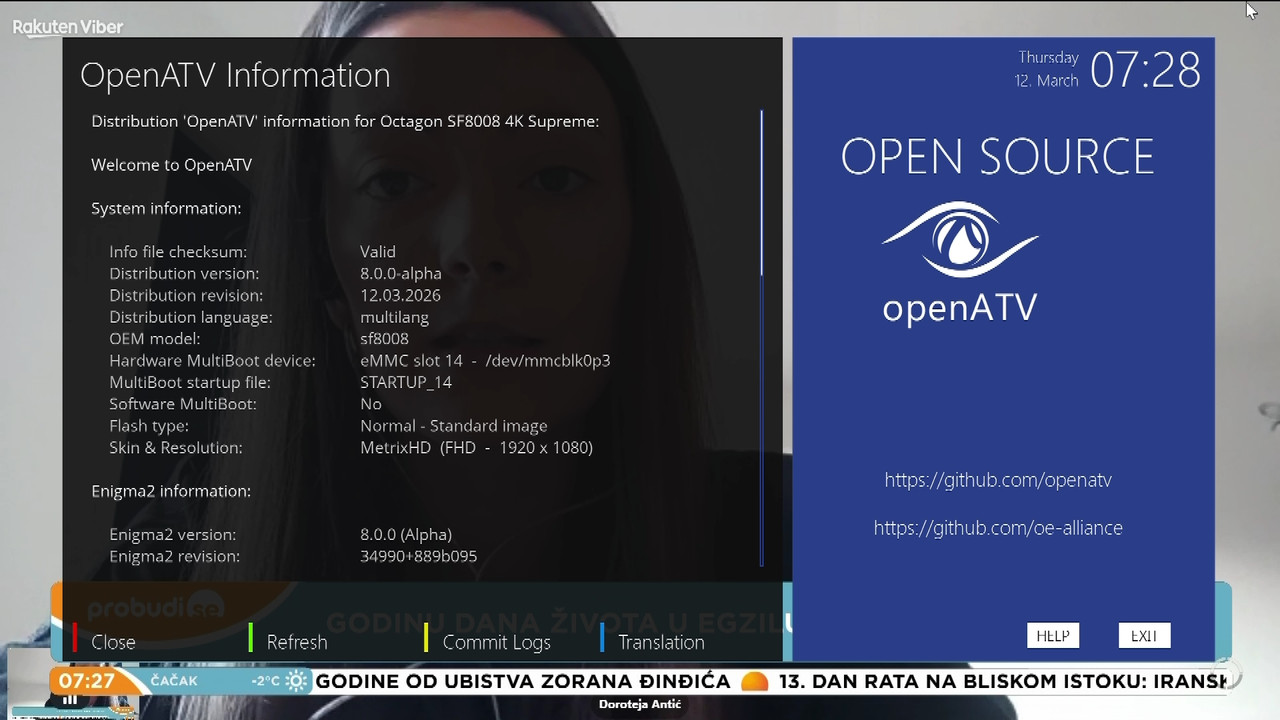
VU+ Duo4K SE. The latest Octagon SF8008 confirmation covers YouTube playback,
mute, volume and the on-screen indicator. Reports from other receivers are
welcome, including those that already worked well with earlier Chromium2
versions.
AXAS E4HD Ultra 4k, PROTEK 4K UHD, Iqon FORCE 4, Qviart LUNIX 4K,
Octagon SF4008, Galaxy Innovations ET11000 and AMIKO VIPER4K51 are mapped in
the build, but their respective BCM driver integration still needs hardware
confirmation. MIPS receivers are not part of this PoC.
Installation and existing HbbTV options
---------------------------------------
Chromium2 is an optional download from the appropriate test-image feed.
It is not automatically installed in every image. The packages are:
- enigma2-plugin-extensions-chromium2
- enigma2-plugin-extensions-chromium2-hbbtv
The HbbTV package requires the Chromium2 base package. Required dependencies,
including ZRAM, are installed through the package manager; the test-image
kernel must already provide the necessary support. Widevine/CDM remains a
separate package, not a guarantee that every DRM streaming service will work.
Existing Qt/WebKit browsers and HbbTV options remain in the build and feeds
during the PoC. Please use Chromium2-HbbTV on a separate test image; do not run
multiple HbbTV plugins together. Do not bypass package conflicts with a forced
installation.
Replacing the older HbbTV implementations is planned only after successful
completion of testing. They are not being removed during this PoC.
Starting and closing: essential remote-control buttons
-----------------------------------------------------
YouTube TV:
- Open "YouTube TV" from the extensions menu.
- Short Exit/Back: go back within YouTube.
- Short Power/On-Off: close YouTube TV completely and return to Enigma2/live TV.
In this context, this button closes the browser.
HbbTV:
- Press Red on a channel providing HbbTV. Depending on the service, a launcher
appears first; use the colour button shown there to open the application.
- Short Exit: Back within HbbTV, not closing the browser.
- Hold Exit: close HbbTV completely and return to Enigma2 with live TV.
A long Back press is also supported on applicable remotes.
Browser portals are NOT part of this PoC
--------------------------------------
Chromium Setup remains visible. General browser/portal entries are hidden by
default. They can be enabled in Setup for personal experiments using
"Show browser/portals (tests only, no support)".
Portals remain included solely for personal experiments. Portal testing is
outside the scope of this PoC, and further adjustments or optimisations are
not planned for now. Please do not submit portal issues as PoC test reports.
Apart from the Amlogic-based Dreambox One/Two, our tests show that these
receivers are too slow for such demanding browser websites. Smooth video
playback does not mean the website itself will respond smoothly.
The public test therefore focuses on HbbTV and YouTube TV.
Technical limitations
---------------------
The engine is based on Chromium 92, not a current desktop browser.
This PoC is not intended as a general browser for sensitive accounts.
Video resolution and playback performance depend on the receiver.
HDMI output resolution and skin resolution are two different settings.
WQHD is covered by the shared sizing logic, but has not been hardware-validated
in the current test round.
How to help
-----------
Please briefly check:
1. HbbTV launcher and main page: are both fully visible?
2. Start a video, open player controls, test pause/resume and return.
3. Test mute and volume up/down: does the audio change and the indicator appear?
4. Close HbbTV with long Exit: do the Enigma2 OSD and live-TV audio return?
5. Check YouTube TV similarly. Compare HD and FHD skins if possible.
When reporting an issue, please include:
- Manufacturer and exact receiver model.
- Image version/date and installed Chromium2 package versions.
- Skin name/resolution, and HDMI output resolution separately.
- Channel, country, affected HbbTV page and, if relevant, exact video title.
- Full HbbTV URL, including relevant parameters.
- Exact steps/buttons, expected behaviour and actual result.
- Time of the problem, whether it is repeatable and whether a VPN was active.
- Relevant logs; a photo or screenshot for display problems.
Important: the broadcaster's regular homepage is not a substitute for its
HbbTV URL! The launch URL can often be found in the Enigma2 log beside
"HbbtvApplication". For problems on a subpage, include that page's URL if
available. If you cannot find the URL, send the logs and describe how to reach
the affected page.
We have an internal test mode that lets us replace the HbbTV launch URL.
This allows us to investigate many services without receiving the broadcast
channel ourselves, using a VPN where regional restrictions require it.
This does not fully reproduce DVB-dependent functions or broadcast data,
so please always include the channel and country.
Collecting HbbTV debug logs
--------------------------
1. Enable this option in Chromium Setup:
"Persistent HbbTV debug logs (/home/root/logs)"
2. Close HbbTV, reopen it and reproduce the issue.
3. Connect to the receiver via SSH and run:
chromium2-hbbtv-log collect poc
4. Download the archive whose path is printed under /home/root/logs and provide
it together with your issue description.
5. Disable debug logging again after testing.
Despite filtering, logs may contain personal data or URLs carrying access
tokens. Check them before posting publicly. Do not post passwords, cookies
or tokens; use an appropriate private support channel for sensitive details.
A short positive report such as "Receiver ..., image ..., HbbTV and YouTube TV
work" is also valuable. Thank you to everyone helping with testing!
Captain
OpenATV Developer


 Posting Permissions







 Reply With Quote